Skip to content

Welcome to October! As part of our ongoing commitment to our district’s strategic plan, this month’s focus is on High-Quality Instruction + Canvas.
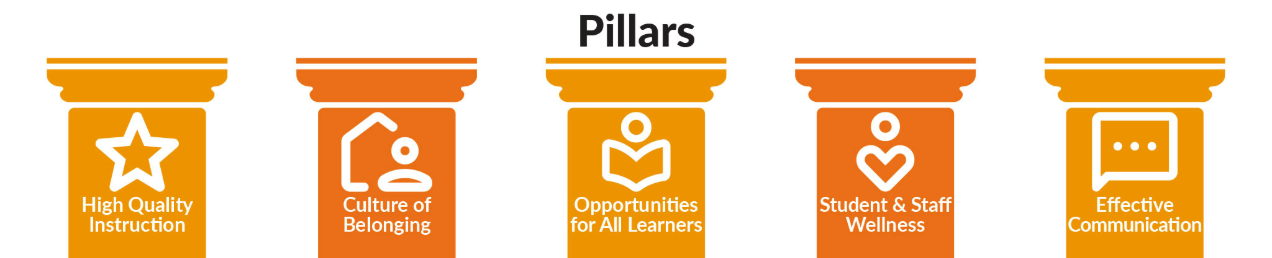
pillars of the strategic plan: high quality instruction, culture of belonging, opportunities for all learners, student & staff wellness, and effective communication.

According to John Hattie’s Visible Learning research, any teaching strategy with an effect size over 0.40 accelerates student learning beyond a typical year's growth.
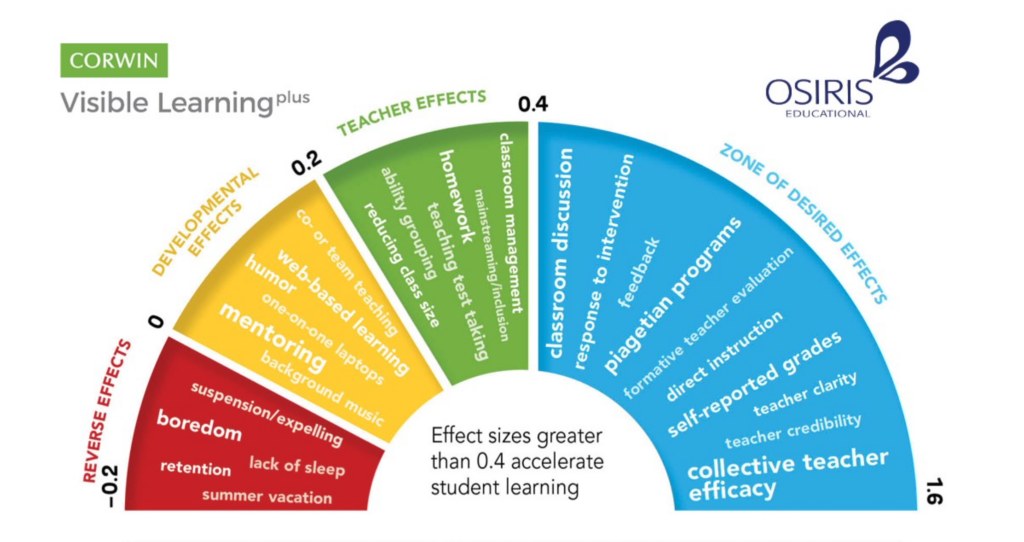
visible learning infographic

Here is how four high-impact, evidence-based strategies from John Hattie's research and modified into these teacher-friendly PDFs from Utah State Board of Education. You can find these and more linked in the USBE PCBL Framework. For our October Update, we are looking to connect some of these Evidence-Based Practices with using Canvas:

High-Impact Teaching Strategies & Canvas Connections
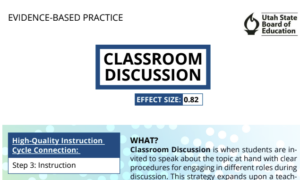
Classroom Discussion (Effect Size: 0.82)

    • The Strategy: Active peer-to-peer discourse deepens understanding through structured interaction.

    • Canvas Connection: Use Discussions to host asynchronous preparation threads or post-lesson debriefs. Teachers can enable the "Users must post before seeing replies" feature to encourage original student thinking, and embed sentence starters directly in the prompt to support clear academic dialogue.


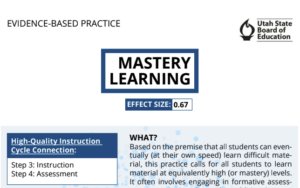
screenshot from Mastery Learning PDF

Mastery Learning (Effect Size: 0.67)

  • The Strategy: Breaking content into distinct units where students receive targeted feedback and multiple opportunities to demonstrate competence.

  • Canvas Connection: Build Modules with Prerequisites and Requirements (e.g., scoring at least 80% on a quiz before moving forward). Pair this with Mastery Paths to automatically route students to customized support, intervention, or enrichment activities based on their score.
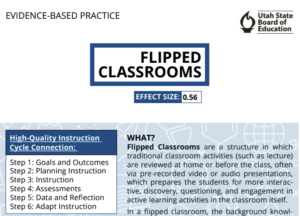

screenshot from Flipped Classroom PDF

Flipped Classrooms (Effect Size: 0.56)

    • The Strategy: Moving traditional lecture/background content outside of class time frees up face-to-face hours for interactive practice and small-group support.

    • Canvas Connection: Embed short instructional videos (via MyVideoSpot) directly onto a Canvas Page as pre-class prep. Use embedded video questions (see How to Use Insights in MyVideoSpot) to check for baseline understanding before students step into the classroom.


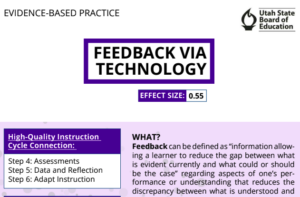
screenshot from Feedback via Technology PDF

Feedback via Technology (Effect Size: 0.55)

    • The Strategy: Providing timely, actionable, and specific feedback helps students understand where they are going, how they are doing, and what steps to take next.

    • Canvas Connection: Leverage SpeedGrader to leave audio, video, or annotated text comments directly on student submissions (See Feedback tutorial). Use Rubrics linked to learning outcomes so students get clear, immediate data on their progress.

Next Steps for Educators

Pick one strategy above to try or refine in your Canvas courses this month. Small, intentional shifts in how we leverage digital tools directly amplify high-quality classroom instruction!

As we head into the final weeks of the school year, our classrooms are buzzing with collaborative energy. This month, we are focusing on a vital characteristic of our district’s Portrait of a Graduate: Responsible Teammate.

The Definition: "As responsible teammates, we demonstrate dependability through positive collaboration with others and a commitment to diligence in our everyday actions."

Being a responsible teammate goes beyond just "helping out"—it’s about being a person others can count on to show up, do the work, and celebrate the collective success of the group.

Feature Spotlight: Classroom Gallery Walls

To support this commitment to collaboration, we are spotlighting the Classroom Gallery feature in Adobe Express. This tool creates a shared digital space where student work lives together, fostering a sense of community and mutual respect.

How it works for your classroom:

  1. Create a Shared Space: Teachers can create a "Gallery" for a specific project or unit.
  2. Collaborative Contribution: Students add their own Adobe Express designs, videos, or pages to the gallery with a single click.
  3. Real-Time Updates: As students refine their work and resubmit, the gallery updates automatically, showing the progress of the entire team.

Try it Today!

Ready to build your first digital wall? Head to the Classrooms tab in Adobe Express and select "Create Gallery." Whether you’re showcasing end-of-year digital yearbooks, science fair posters, or creative writing portfolios, use the gallery to celebrate the hard work and responsibility your students have shown all year long.

For more info, check out this Big 6 in 60 video:

Or this Adobe help page: https://helpx.adobe.com/express/web/adobe-express-for-education/for-educators/create-and-manage-classroom-galleries.html

As we move into the final stretch of the school year, our focus shifts toward empowering students to take ownership of their growth. This month, we are highlighting the Resilient Lifelong Learner — a Resilient Lifelong Learner isn’t just someone who gets the right answer; they are students who embrace challenges, learn from setbacks, and remain curious in an ever-changing world. To support this mindset, we are thrilled to spotlight a new feature in Adobe Express.

Adobe Express has just released a new beta feature designed to bridge the gap between curriculum standards and creative student output. Teachers can now generate high-quality, engaging classroom activities in a matter of seconds.

How it works:

  • Input Your Goal: Simply type in a specific topic (e.g., "The Water Cycle"), a learning objective, or a state standard.
  • Instant Generation: The AI engine builds a complete classroom activity tailored to your prompt.
  • Student-Ready Instructions: It doesn't just create the "what"—it creates the "how," providing clear, step-by-step instructions for students to follow.
  • Teacher Refinement: Once the materials and instructions have been generated, teachers can change any part of the template or instructions to fine-tune it for your classroom before sharing it with students.

By automating the initial scaffolding, teachers can spend more time facilitating "productive struggle." Students get clear guardrails that allow them to experiment, fail safely, and iterate on their creative projects—the very heart of being a resilient learner.

Log in to your district Adobe Express account and look for the "Generate Activities" box under the “Teach” tab. Give it a standard you’re teaching next week and watch the magic happen.

a screenshot of the "generate classroom activities" box in Adobe Express

Engage Your Student Citizens with a Media Diet Reflection

This month for our Adobe Update we are excited to share a dynamic new project using Adobe Express: Design a Web Page to Reflect on Your Media Diet perfect for developing Engaged Citizens. 

In this activity, students analyze their own media consumption, reflect on how information shapes their views, and then use Adobe Express to design web pages that visually represent their findings. This creative process builds critical media literacy, helping students understand the sources and impact of their daily information intake.

This project directly supports the Engaged Citizen element in our Portrait of a Graduate. By examining the role of media and sharing their reflections with peers, students learn to be informed, thoughtful participants in their communities. They develop the ability to question, evaluate, and act responsibly in a digital world—essential skills for contributing meaningfully to society now and in the future.

This month’s resource is a powerful recorded session from Adobe’s Creative Community Week titled, “Prompting for Equity: A Hands-On Look at AI Bias” with Shira Moskovitz. 

This session guides educators through using Adobe Express’s AI image generation to explore the concept of AI bias in a vivid, accessible way. Participants learn how hidden biases can appear in AI-generated images, why this happens, and strategies for designing prompts that promote more inclusive and equitable results. The session also includes a ready-to-use classroom activity!

Regarding our PD focus this month on Digital Equity, this session is a timely resource for helping all students gain equal access to key digital tools and skills. Digital Equity=Ensuring all students can fully benefit from technology, regardless of background. 

By teaching students to recognize and challenge bias in AI, we’re not just building technical know-how—we’re empowering them to be ethical, engaged citizens, as outlined in our Portrait of a Graduate. When students understand the importance of fairness and inclusion in technology, they’re better equipped to participate meaningfully in today’s digital world.