✨ A Fresh New Look for LearnPlatform!
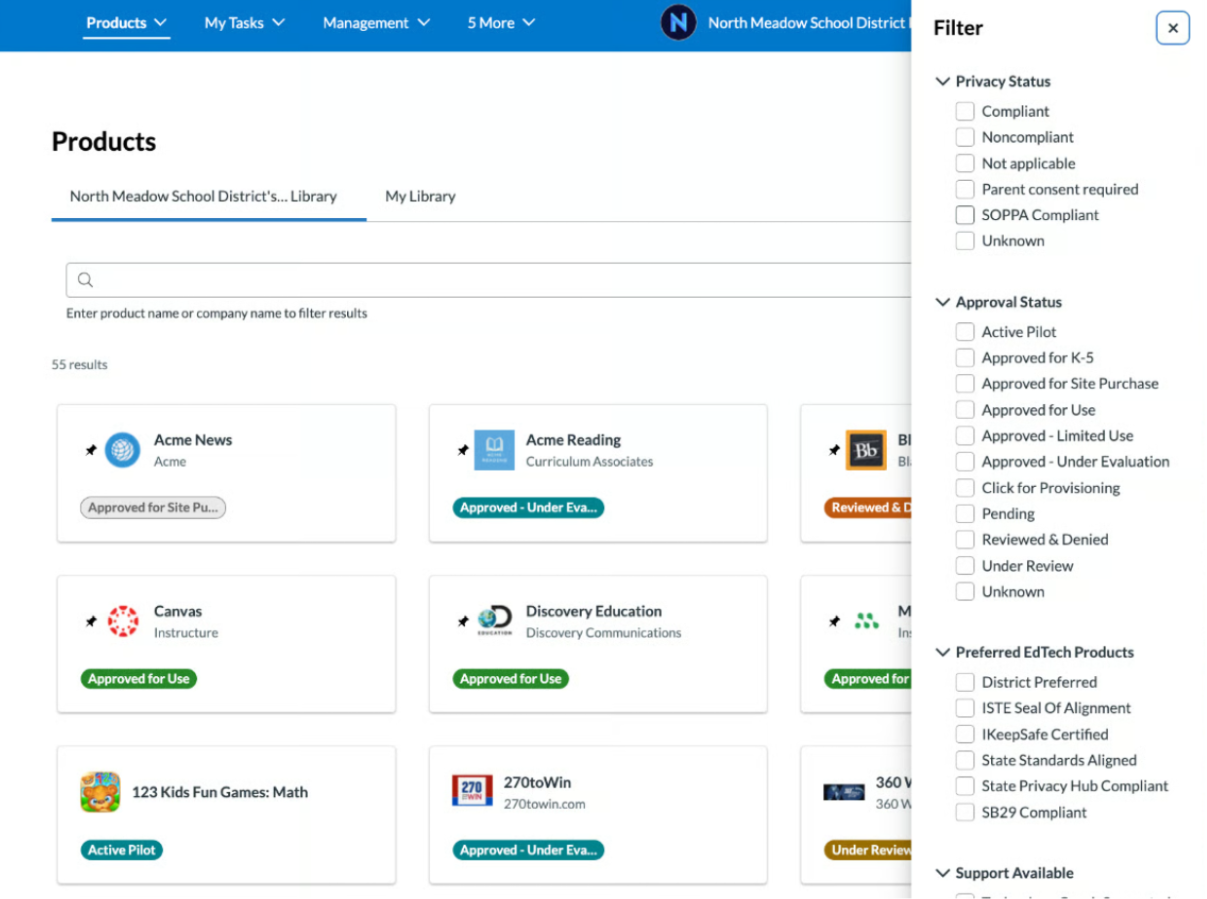
Finding safe, vetted EdTech tools for your classroom just got easier! LearnPlatform recently launched a sleek new interface focused on speed, simplicity, and accessibility. You’ll notice a cleaner interface and handy new right-hand filter menus designed to help you search tools faster. Log in today using the waffle/Google nine square to explore the updated look, and check out how these new features can save you time this school year!
Website & YouTube Unblocking Quick Reference
-
Test a Website: Run URLs through the iBoss URL Checker to test accessibility across levels (Elementary, Secondary, Staff). Please note: Filter access does not mean the site is approved. Always check LearnPlatform separately before use.
-
Test/Request a YouTube Video: The iBoss URL checker cannot test YouTube links. Please use the YouTube Video Unblock Request Form instead.
Install Learn Platform Chrome Extension for macs/HP
Video Request Form (doesn’t work with iboss)
Learn Platform Request
This video explains how to submit a request for a digital tool to use in your classroom/school. You may reach the Learn Platform site by clicking on your Google 9 square, or waffle.
Install Learn Platform Extension
The district is asking ALL teachers to add the Learn Platform extension onto their work devices. This allows the district to track software usage of students & teachers and allows principals to use this data to make the best decisions for the school, teachers and students.
Please use Google Chrome Browser as your main browser.
What is Learn Platform?
 Jordan District is using Learn Platform to streamline and analyze the technology tools that are used in our classrooms to verify that they meet student privacy standards.
Learn Platform for JSD
Teachers should check Learn Platform to see if the apps or tools they are using in their classroom meet student privacy standards set by the state.
An easy way to get to Learn Platform for JSD is to go to Google Apps, scroll through the apps, locate Learn Platform.
Jordan District Learn Platform LibraryHow to Read Your Dashboard Data on LearnPlatform
All Administrators and Digital Coaches have access to the LearnPlatform Data Dashboard. Learn how to navigate that data in the video below.
Online Digital Video Request
To request that an online video be unblocked from the iBoss filter, you will need to fill out the form below. You will also need to
Submit the Online Digital Video Request form. Then print the email response you receive and get the required signatures on it. Turn the form into your administrator.
Table of Contents
What is Learn Platform?
Learn Platform for JSD
Online Digital Video Request
Install Learn Platform Extension
Resources
Parental Permission Form
JSD Learn Platform Public Library
Questions? Contact Us:
Ross Rogers
801-567-8759

Kelli Cannon
801-567-8726
Melanie Leavitt
801-567-8136