To Request a Zoom Pro Account complete the form below.
District employees who need a Zoom Pro Account to work with students and/or parents can fill out the form above to request an account. You only need to request a Pro Zoom account once. You must have a Jordan District email in order to request an account.
Click this link to view the new Zoom look starting on August 26, 2026.
Make sure to check your JSD email for an email asking you to set up your account. The subject line will be "Zoom Account Information". If you don't see it in your inbox, check your spam folder. Your Zoom meeting ID will have the following "jordandistrict-org.zoom.us/" followed by some additional information.
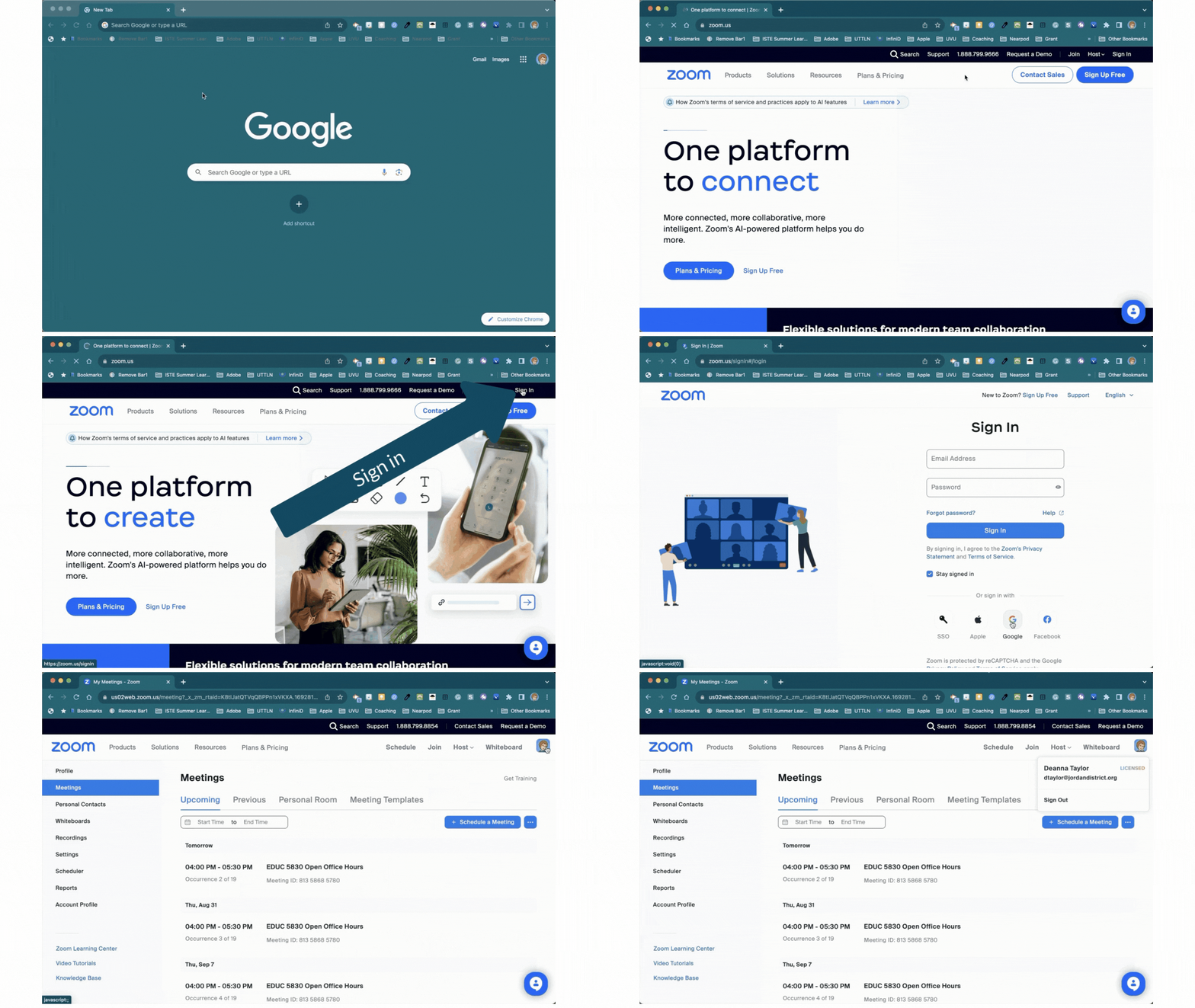
To check to see if you have a Zoom account:
- Go to zoom.us
- Log in using the "Sign in with Google" button.
- Locate your image in the upper right corner of the Zoom dashboard.
- Click on it.
- You have a Zoom Pro Account if you see the word "Licensed".
The following gif will walk you through the above steps.