Skip to content

SchoolAI's browser extension now features an AI Notetaker that is designed specifically for educators. With just one click, you can record your meetings and receive structured summaries, action items, and clear takeaways instantly.

Because it is built directly into the SchoolAI browser extension your notes stay private, secure, and compliant with FERPA and COPPA standards.

This tool allows you to spend less time writing notes and more time actively engaged in the conversations. Perfect for PLCs, parent conferences, coaching interactions, and more!
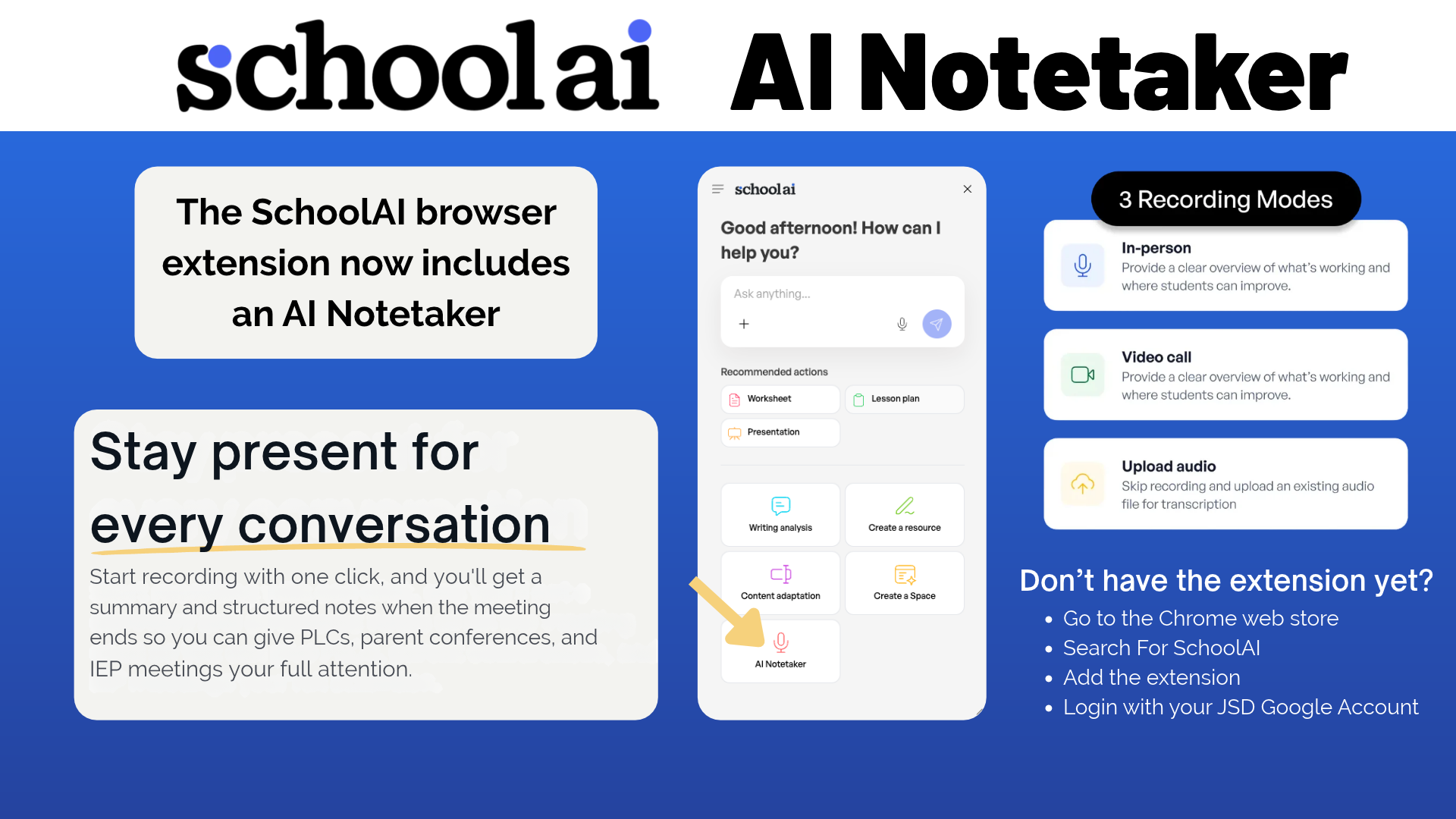
SchoolAI Notetaker

Don't have the extension yet?

  • Go to the Chrome web store
  • Search for SchoolAI
  • Add the extension
  • Login with JSD Google account

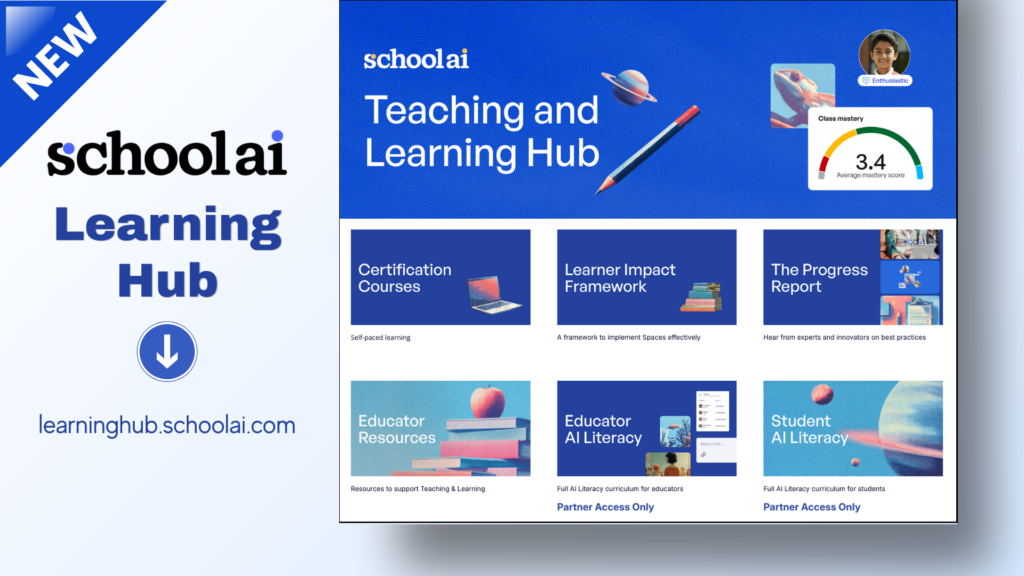
SchoolAI has a new teaching and learning hub that is now live: learninghub.schoolai.com

The hub is designed to be a "one-stop shop for getting the most out of SchoolAI." It includes self-paced courses, events and live sessions, AI literacy courses for staff and students, toolkits, and many other resources to help teachers go from "how does this work?" to "look what we build!"

Check out the Hub, bookmark it, and use it to continue learning!

New SchoolAI Learning Hub

We know how much you and your students love using Canva to bring creativity to the classroom. To make collaboration even smoother, we have a quick but important reminder about how we organize our Canva teams.

Why the Switch?

Back in the Fall of 2025, we updated our Canva structure so everyone is grouped into individual school teams rather than one massive district-wide team.

While anyone who used Canva prior to the switch will have continued access to the now Archived Jordan District team, anyone new to our district does not get that access. Because students cannot share outside their specific team, working out of the archived district team creates sharing roadblocks. If you or your students are still working in the archived team, assignments and group projects can easily get stuck.

By ensuring your account and your students are working from your current school team, you’ll instantly eliminate those sharing frustrations and ensure everyone can collaborate seamlessly.

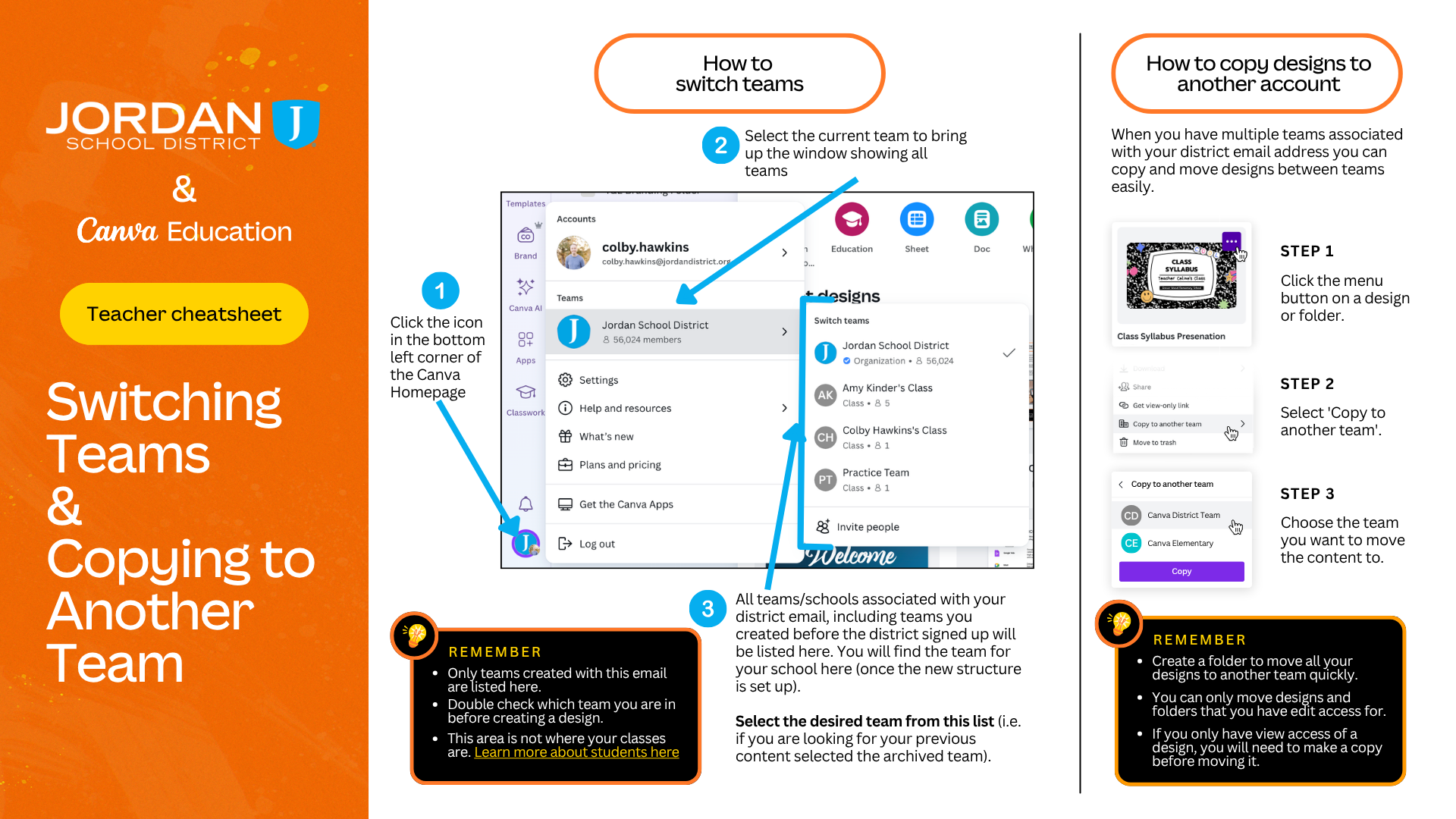
Switching Teams and copying to another team
Instructions for how to switch Canva Teams and how to copy designs to another team - Click to expand and view


Check out this month's slide deck to see the latest Canva tools currently available. The slides highlight some of the best AI tools to integrate into your daily teaching workflow:

  • Learn Grid: Generate curriculum-aligned activities and content
  • Magic Activities: Instantly transform a lesson objective or standard into interactive student tasks.
  • Canva Code: Create responsive, interactive apps and widgets for you class with just a simple prompt.
  • Canva AI for Audio: See how you can use Canva AI to generate custom 30 second songs from a prompt.

Explore the slides to learn more. Also stay tuned as major upgrades have been announced with the coming of Canva AI 2.0 in the coming months!

Latest AI updates with Canva by colby.hawkins